UV Pool Filter Controller Alarm: Record the Code Before Resetting
| November 24, 2026
Disclosure: This article contains affiliate links. As an Amazon Associate, UV Pool Filter may earn from qualifying purchases.
A controller alarm on a UV pool filter is a message to pause and gather information, not an invitation to keep pressing reset. The display may point to a lamp, flow, temperature, cover, power, or other model-specific condition. Because the same-looking alarm can mean different things on different systems, record what you see and use the exact manual before changing anything.
What to record before you reset the controller
Stand in a dry position and photograph the controller display, indicator lights, connected equipment, and the surrounding pad. Write down the date, time, pump state, whether water is circulating, and whether the alarm appeared after a power interruption, cleaning, freeze preparation, or other service. Copy the alarm wording or code exactly, including punctuation and numbers. A photo is useful when a code disappears after a reset.
Also note anything that changed immediately beforehand: a tripped breaker or GFCI, a pump that stopped, a recent lamp or quartz-sleeve service, a closed valve, unusual noise, a leak, or a wet enclosure. Don’t guess at the cause from the color of one light. The record gives a technician and the manufacturer a better starting point.
Read the model-specific alarm guidance
Find the installation and operation manual for the exact UV system, controller revision, and power arrangement. The Pentair BioShield UV System Installation and User’s Guide is an example of equipment documentation that explains its own indicators, installation limits, and service warnings. It isn’t a universal alarm-code guide for every UV sanitizer.
Use the manual to identify whether the alarm is intended to clear after a permitted operating check, requires a power cycle, or means the system must remain out of service. Follow its shutdown, isolation, and restart sequence exactly. Don’t infer pressure, flow, temperature, lamp-life, or reset requirements from another brand’s manual or from an online forum.
Check only the owner-service items the manual permits
If the manual allows an owner check, keep it visual and dry. Look for a closed valve, an obvious loss of circulation, a loose external plug, a wet controller enclosure, a damaged cable, or a visible leak. Do not open the controller, remove a UV chamber cover, touch wiring, or loosen a pressurized union merely because an alarm is present.
If power has been isolated and the manual specifically authorizes a simple external check, compare the visible setup with its installation instructions. A controller alarm does not prove that the lamp, flow switch, sensor, or ballast has failed. It also doesn’t prove the pool is unsafe or safe. It tells you to follow the equipment’s defined diagnostic path.
When a reset is the wrong next step
Don’t repeatedly reset an alarm that returns, appears with no circulation, follows a GFCI trip, or occurs with water inside the enclosure. Stop and use qualified pool-equipment or electrical service for exposed wiring, a burning smell, heat, damaged insulation, a cracked housing, a persistent leak, shock, or any condition outside the owner instructions.
Never bypass an interlock, flow switch, grounding connection, GFCI, alarm, or other protective device to make the system run. Don’t substitute a generic sensor, lamp, ballast, seal, or power supply because its listing looks similar. Replacement parts and service methods must match the exact make, model, revision, and manufacturer instructions.
Keep the water-care plan running separately
Until the UV system is confirmed operational, continue the water-care steps required by the sanitizer manual, chemical labels, and local requirements. UV equipment is only one part of pool sanitation, and an alarm record cannot replace testing or appropriate disinfectant maintenance. The Pool Chemical Calculator website, iPhone app, and Android app can help organize routine pool-water calculations.
For model-specific replacement research, browse UV pool filter controller parts on Amazon. Treat marketplace results as research only: confirm the exact part and approval with the manufacturer or a qualified professional before ordering.

Safety note: This is pool-care information, not medical advice, electrical instruction, or a substitute for code-compliant service. Follow the exact equipment manual, product labels, local electrical code, and manufacturer restrictions. Do not change wiring, grounding, pressure limits, flow limits, or safety devices based on this article. Stop and contact a qualified pool-equipment or electrical professional if the equipment is wet, damaged, energized, pressurized, or outside the owner-service instructions.
Recommended pool maintenance supplies
As an Amazon Associate, UV Pool Filter earns from qualifying purchases.

A clean cartridge helps protect flow through UV equipment and clears cloudy water faster.
View on Amazon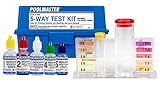
UV helps supplemental sanitation, but chlorine, pH, and alkalinity still need testing.
View on Amazon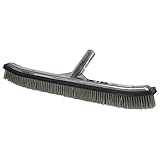
Brushing breaks up algae films and dead spots so sanitation and filtration work better.
View on AmazonFAQ
Should I reset a UV pool filter alarm right away?
No. Record the exact display and surrounding conditions first, then follow the reset instructions for your model. A recurring alarm, a wet enclosure, a trip, or a damaged component needs qualified service rather than repeated resets.
Can one UV alarm code mean the same thing on every brand?
No. Alarm labels and diagnostic steps are model-specific. Use the manual for the exact controller and don’t borrow pressure, flow, temperature, lamp-life, or reset assumptions from another system.
What should I photograph when the controller shows an alarm?
Photograph the full display, indicator lights, UV chamber, controller enclosure, visible valves, pump state, and any leak or cable damage from a dry, safe position. Write down the date, time, and what changed before the alarm appeared.
Can I keep using the pool while the UV controller alarm is active?
Follow the equipment manual and local pool requirements. Keep the UV system out of service when instructed, and maintain the separate water-testing and disinfectant plan rather than assuming the alarm has no effect.