UV Pool Lamp Cord Strain Relief Check: Keep Cable Stress Away From the Sanitizer
| October 10, 2026
Disclosure: This article contains affiliate links. As an Amazon Associate, UV Pool Filter may earn from qualifying purchases.
A UV pool lamp cord strain relief check is a quick outside-the-equipment look at one small place where trouble likes to start. The lamp, ballast, and controller get most of the attention. The cord path between them can be just as revealing, especially after someone has cleaned the pad, changed plumbing, moved storage bins, or tugged on nearby hoses.
You are not opening a controller, pulling a lamp, or testing live wiring. You are looking for obvious stress from the outside: a sharp bend at the cord exit, a missing grommet, a cable rubbing a wall, a clamp that has slipped, a cord hanging where feet or hoses can catch it, or a connector area that looks pulled out of line. If anything looks damaged or loose, stop there and use the manual or a qualified pool equipment technician.
Shop pool UV replacement lamps, cable clips, gloves, test kits, and maintenance supplies on Amazon. Match every lamp, sleeve, gasket, cord, controller part, or cable-management item to the exact UV system model before ordering.
Why cord strain matters
A UV lamp cord usually leaves a chamber, end cap, access cover, or control enclosure through a strain relief, gland, conduit opening, or protected connector area. That transition matters because it keeps normal movement from pulling directly on electrical connections. When the cord is bent hard, stretched tight, pinched behind a pipe, or used as a handle, the stress can move toward the lamp connector or ballast wiring.
The Pentair BioShield UV installation and user’s guide specifically discusses routing the UV power supply cable and using the provided strain relief for the control-system enclosure. The CMP DEL AOP 25/40 instruction manual treats electrical service, lamp replacement, lamp connectors, access covers, bonding, and power shutoff as manual-controlled procedures. Those details are enough reason to keep this check conservative: observe the outside, then let the model-specific manual govern anything deeper.
Start with the equipment off if you need to touch anything nearby
For a simple walk-by visual check, you can often see the cord path without touching the UV unit at all. If you need to move a towel, hose, leaf pile, or storage item near the cord, shut equipment down only the way your system manual says to do it. Do not loosen a strain relief, remove a cover, open a controller, unplug a lamp connector, or move conduit for a casual inspection.
Look for signs that the cord has been pulled out of its relaxed shape. A gentle service loop is normal on many installations. A kink right at the grommet, a stretched cord acting like a support strap, or a cable crushed under a lid is not. Also check whether the cord is hanging low enough for a vacuum hose, garden hose, skimmer net, or foot to snag it.
Check the exit point and the first bend
The first few inches after the cord leaves the UV unit tell you a lot. The cord should not look shaved, flattened, twisted, sun-cracked, or pinched. The opening around it should look intact, and any visible boot, gland, clip, or strain relief should appear seated. Do not try to tighten it unless the manual says that exact part is homeowner-serviceable. Many UV units put lamp, ballast, and sealing parts behind access covers that are not casual-adjustment territory.
If the cord disappears behind plumbing or along a wall, follow the visible path with your eyes. Keep it away from places where pump vibration, filter cleaning, drain water, pool chemicals, or moving service panels can abuse it. A cord that rubs one spot every time the pump starts can age faster than the rest of the equipment pad.
Keep cable management boring
Good cable management around pool equipment should be boring. It supports the cord without squeezing it, leaves labels and access covers visible, and does not trap water against the equipment. Avoid tape wraps, zip ties pulled tight enough to dent the jacket, improvised hooks, and storage bins pushed against the cable. If you use clips or ties near the equipment pad, choose weather-suitable products and keep them outside any area the manufacturer reserves for service access.
Do not route UV cords across chemical storage areas. Chlorine dust, acid fumes, salt residue, and wet buckets are hard on metal hardware and electrical parts. Keep pool chemicals stored as their labels require and away from UV controllers, bonding lugs, conduit, cord exits, and lamp-access areas.
Connect the check to water clarity
A neat cord path does not prove the UV lamp is new, the quartz sleeve is clean, or the chamber is getting the correct flow. It only removes one avoidable source of stress. If the pool is cloudy, sanitizer demand has changed, or the UV controller is showing warnings, look at the whole system: pump operation, filter pressure trend, valve position, lamp age, sleeve condition, sanitizer level, pH, stabilizer, and recent bather load.
Use the Pool Chemical Calculator for dosing math instead of guessing. The same tool is available on iPhone and Android. UV equipment can support a good pool-care routine, but it does not replace the sanitizer level required by your pool type, chemical labels, and local rules.
Related checks worth pairing with this one include lamp connector pin inspection, lamp moisture checks, and control box shade and splash checks. Together they cover stress, moisture, warning visibility, and service access without turning a homeowner walk-through into unsafe electrical work.

When to call a professional
Call a qualified pool equipment technician or electrician who works on pool systems if the cord jacket is cut, a strain relief is missing, a connector looks pulled, a controller shows repeated faults, the GFCI trips, water is near electrical parts, bonding looks loose, conduit has moved, or the manual limits the task to trained service. Also call if fixing the route would require opening an enclosure, removing a lamp, changing wiring, or moving hard-plumbed equipment.
Safety note: This is pool-care information, not medical advice or electrical instruction. Follow the equipment manual, product labels, local codes, and professional-service restrictions. Maintain the sanitizer level required for your pool, and use qualified professionals for UV electrical diagnosis, controller repair, bonding work, leak repair near electrical components, pressure work, chemical cleaning, quartz sleeve removal, lamp replacement, and any task the manufacturer limits to trained service.
Recommended pool maintenance supplies
As an Amazon Associate, UV Pool Filter earns from qualifying purchases.

A clean cartridge helps protect flow through UV equipment and clears cloudy water faster.
View on Amazon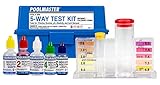
UV helps supplemental sanitation, but chlorine, pH, and alkalinity still need testing.
View on Amazon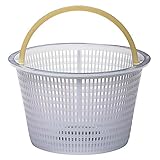
Keeps leaves and debris from starving the pump, filter, and UV chamber for water.
View on AmazonFAQ
Can I tighten a loose UV lamp cord strain relief myself?
Only if your exact manual says that part is homeowner-serviceable and gives the procedure. If the strain relief is part of a controller, lamp-access area, or sealed assembly, call a qualified technician instead of guessing.
Is a loop in the UV lamp cord a problem?
A gentle loop can be normal and useful because it prevents tension at the connector. The problem is a tight kink, a stretched cord, a sharp bend at the exit point, or a cord routed where it can be snagged or crushed.
Should I replace the UV lamp if the cord looks stressed?
Do not assume the lamp is the only issue. A stressed cord may involve the lamp connector, ballast lead, access cover, or controller wiring. Shut the system down as directed by the manual and have the correct parts and connections checked.
Can cable clips be added around pool UV equipment?
Clips can help only when they are weather-suitable, do not squeeze the cord, do not block service access, and do not conflict with the manufacturer’s installation requirements. Never drill, clamp, or attach anything to a UV unit unless the manual allows it.