UV Pool Salt Cell Flow Sensor Cleaning: Prevent Low-Flow Errors Before Chlorine Drops
| August 25, 2026
Disclosure: As an Amazon Associate, UV Pool Filter may earn from qualifying purchases. The pool care links below may also point you toward our Pool Chemical Calculator resources.
A low-flow warning can look like a bad salt cell, a weak pump, or a UV system problem. Sometimes the smaller culprit is the flow sensor. A bit of scale, pine needle debris, or film on the sensor can make the control box think water is not moving correctly, even when the plumbing is mostly fine.
This catch-up checklist focuses on cleaning and inspecting the salt cell flow sensor before chlorine output drops and the UV chamber starts getting inconsistent circulation.
Why Flow Sensor Cleaning Matters
UV systems need enough water moving through the chamber to expose contaminants properly. Salt chlorine generators also rely on flow confirmation before they produce chlorine. When a sensor sticks, reads low, or gets coated with scale, the equipment pad can drift into nuisance shutdowns that leave the pool under-sanitized.
- The salt system shows a low-flow or no-flow alert.
- Chlorine levels fall even though the cell percentage looks normal.
- Air bubbles appear near the cell or UV plumbing.
- The filter pressure recently changed after cleaning or backwashing.
- Scale or cloudy film is visible around the sensor, unions, or cell body.
Simple Cleaning Routine
Shut off power to the equipment before opening unions or removing a sensor. Confirm valves are positioned for normal circulation, then inspect the sensor paddle or probe area for leaves, hair, grit, and calcium scale. Rinse loose debris with fresh water and wipe only as gently as the manufacturer allows.
If scale is stubborn, follow the equipment manual before using any acid solution. Strong acid and long soak times can damage parts that only needed a careful rinse. Reassemble the sensor, check the arrows or orientation marks, restart the system, and confirm the alert clears after air purges from the line.
Check Water Balance After the Alert Clears
Once flow is restored, test free chlorine, pH, alkalinity, cyanuric acid, salt, and calcium hardness. Use the Pool Chemical Calculator, the Pool Chemical Calculator iOS app, or the Pool Chemical Calculator Android app to make measured corrections instead of guessing.

Monthly Sensor Habit
Pair the flow sensor check with pump basket cleaning, filter pressure readings, and UV chamber inspection. That short routine helps separate real circulation problems from false low-flow alerts before algae, cloudy water, or low chlorine readings show up.
Recommended pool maintenance supplies
As an Amazon Associate, UV Pool Filter earns from qualifying purchases.
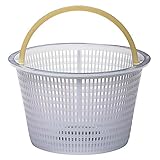
Keeps leaves and debris from starving the pump, filter, and UV chamber for water.
View on Amazon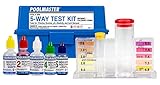
UV helps supplemental sanitation, but chlorine, pH, and alkalinity still need testing.
View on Amazon
A clean cartridge helps protect flow through UV equipment and clears cloudy water faster.
View on AmazonFAQ
Why does a salt cell flow sensor matter for a UV pool?
The UV chamber and salt cell both depend on steady circulation. A dirty or stuck flow sensor can stop chlorine production or trigger low-flow errors even when the pump appears to be running.
How often should I clean a pool flow sensor?
Inspect it monthly during swim season and any time low-flow warnings appear after basket cleaning, filter service, or valve changes.
Should I acid clean the sensor every time?
No. Rinse debris first and follow the manufacturer instructions. Acid cleaning should be reserved for scale that will not rinse away because unnecessary acid exposure can shorten equipment life.