UV Pool Control Box Light Check: Read Lamp Warnings Before Water Clarity Slips
| September 29, 2026
Disclosure: This article contains affiliate links. As an Amazon Associate, UV Pool Filter may earn from qualifying purchases.
Indicator lights are easy to ignore until the water turns dull or the UV chamber shuts down. A quick UV pool control box light check helps you spot a lamp, ballast, power, ozone, or flow warning while the equipment is still running normally enough to diagnose calmly.
The useful habit is simple: read the lights when the pump has reached steady circulation, compare them with the actual owner manual for your model, and write down what you saw. Do not assume green, yellow, purple, blue, or red means the same thing across every UV or AOP system.
Compare UV pool sanitizer lamps and maintenance supplies on Amazon. Match lamp part numbers, sleeve parts, seals, and electrical ratings to your manufacturer’s manual before ordering.
Why indicator lights deserve a weekly glance
A UV unit is usually a supplemental sanitizer. It can help reduce certain contaminants as water passes through the chamber, but it does not replace the normal pool sanitizer residual you measure with a test kit. If the lamp is aging, the ballast is not powering the lamp, or a flow switch is unhappy, the pool may look fine for a while before the problem shows up in water clarity.
The CMP DEL AOP 25/40 manual, for example, uses different Smart Status light colors for regular operation, UV-C service due, UV-C service overdue, and UV-C fault conditions. Hayward’s HydraPure manual also treats lamp-life and UV bulb indicators as model-specific signals, including reset steps after the proper lamp service is complete. Pentair’s BioShield UV guide is stricter about service: it says the system must be installed and serviced by a qualified pool service professional.
That is the point of the check. You are not troubleshooting from memory. You are building a small record so the manual, the service company, or the manufacturer support line has something specific to work from.
How to read the control box safely
- Let the pump run at the normal speed used for UV circulation.
- Confirm the pump basket is full of water and the filter is not obviously starved for flow.
- Stand outside the equipment pad, look at the UV or AOP control panel, and write down every light color, blink pattern, and display message.
- Check the exact manual for that model before deciding what the lights mean.
- Record the date, pump speed, recent filter cleaning, water temperature if shown, and any unusual noise or cycling.
- If the manual points to wiring, ballast, lamp access, quartz sleeve removal, or internal service, stop and schedule qualified help.
Do not open the control box just to see more. Many manuals require power to the UV unit and pool pump to be off before cleaning, lamp work, winterizing, or other service. Some troubleshooting steps require electrical knowledge. If you are unsure, treat that as the answer and call a pool professional or electrician.
What to compare in the manual
Start with the normal-operation chart, then move to the troubleshooting table. The CMP DEL AOP 25/40 instructions show separate power, ozone, and UV-C indicators, and the same color can mean different things depending on which indicator is lit. Hayward’s HydraPure literature separates lamp-life viewing and reset behavior from lamp replacement warnings. Pentair’s BioShield manual emphasizes qualified service and disconnecting power before UV service.
Those details matter because a yellow lamp-life warning is not the same problem as a red fault. A no-light condition may be source power, a time-clock issue, a failed lamp, a ballast problem, or wiring that needs a trained person. Guessing from one color can waste money and can also create an unsafe repair attempt.
Keep chemistry notes beside the light log
Pair equipment notes with water testing. If the UV light status changes and your free chlorine, pH, or stabilizer is also drifting, you can separate a circulation problem from a chemistry problem faster. The Pool Chemical Calculator helps turn test results into precise dosing math instead of guesswork. You can also use the app on iPhone or Android.

Light-check notes worth saving
- Normal light pattern after the pump reaches steady flow.
- Any color change, blink pattern, alarm, or display code.
- Filter pressure and pump speed at the time of the reading.
- Lamp installation date, lamp-hour reading, or service reminder date.
- Manual page, manufacturer support note, or service ticket number.
Safety note: UV pool systems combine water, electricity, and ultraviolet lamps. This is pool-care information, not medical advice. Maintain the sanitizer residual required for your pool, follow the equipment manual, disconnect power only as directed, and leave internal electrical or lamp service to qualified professionals when the manual requires it.
Recommended pool maintenance supplies
As an Amazon Associate, UV Pool Filter earns from qualifying purchases.

Keeps leaves and debris from starving the pump, filter, and UV chamber for water.
View on Amazon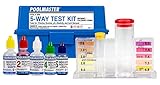
UV helps supplemental sanitation, but chlorine, pH, and alkalinity still need testing.
View on Amazon
A clean cartridge helps protect flow through UV equipment and clears cloudy water faster.
View on AmazonFAQ
Does a green power light mean my UV pool system is sanitizing correctly?
Not always. A green power light may only show that the unit has power. Check the model-specific manual for lamp, flow, ozone, service, and fault indicators before assuming the UV chamber is working correctly.
Should I reset a UV lamp-life indicator before replacing the lamp?
No. Reset the indicator only after the manual’s required lamp service has been completed. Resetting early can hide an overdue lamp and make future maintenance records unreliable.
Can I keep using the pool if the UV light shows a service warning?
Keep normal sanitizer levels in range and follow your pool professional’s guidance. UV is usually supplemental, so do not rely on it as the only sanitizer. Treat warnings promptly, especially if water clarity or chlorine demand changes.
When should I call a professional for UV indicator light problems?
Call a qualified professional when the manual points to wiring, ballast testing, lamp access, quartz sleeve removal, water inside the unit, GFCI problems, or any step you are not trained to do safely.