UV Pool Lamp Date Label: Track Replacement Before Output Drops
| October 8, 2026
Disclosure: This article contains affiliate links. As an Amazon Associate, UV Pool Filter may earn from qualifying purchases.
A UV pool lamp date label is a simple habit that saves a lot of guessing later. Most UV lamps do not fail with a dramatic pop. They age quietly, the output drops, and the water may still look fine right up until the pool is working harder than it should. If nobody knows when the lamp was installed, the next service call turns into a scavenger hunt through receipts, controller menus, faded boxes, and memory.
The fix is not complicated. When the lamp is changed, record the install date in two places: on a clean label near the UV unit and in the pool maintenance log. That gives you a quick field check when the controller warning light appears, when spring startup begins, or when you are deciding whether a cloudy-water problem is chemistry, flow, filtration, or an old lamp that has simply done its job.
Shop pool UV lamp replacement supplies, waterproof labels, markers, gloves, and compatible UV service parts on Amazon. Match any replacement lamp, quartz sleeve, o-ring, and connector part to the exact make and model before ordering.
Why a lamp date label matters
Pool UV systems are not magic tubes that stay equally strong until the day they stop glowing. UV lamp output drops with use, and the replacement interval depends on the equipment model and lamp type. Your manual, not a generic blog chart, is the source that matters for your system.
The Pentair BioShield UV installation and user’s guide treats lamp replacement as a defined service procedure with power isolation, lamp handling, quartz sleeve care, and replacement guidance. The CMP DEL AOP 25/40 instruction manual also ties lamp service to shutdown steps, reactor access, o-ring placement, and qualified-service limits. Those manuals make the same bigger point: lamp age is only useful when it is tracked against the actual equipment you own.
A date label also keeps the story straight when more than one person touches the pool. The homeowner may check water, a route tech may clean the filter, and another technician may handle UV service. A clear date on the unit helps everyone see whether the lamp is new, due soon, or overdue without opening the chamber just to satisfy curiosity.
Where to put the label
Put the label where it can be seen without removing the lamp, opening a live electrical compartment, or reaching into wet plumbing. A good spot is usually the outside of the UV chamber, the service cover, the nearby equipment panel, or a dedicated maintenance tag attached near the unit. Keep it away from hot surfaces, moving pump parts, unions that may be opened, and spots that will be soaked during filter cleaning.
Do not cover manufacturer labels, serial numbers, warning stickers, model plates, flow-direction arrows, bonding points, or inspection windows. Those markings may be needed for parts lookup, warranty service, safety checks, and troubleshooting. If the only clean surface would cover factory information, use a hanging tag or the maintenance log instead.
What the label should say
Keep the label plain. You do not need a paragraph on the equipment pad. Write the install date, lamp part number if you know it, and the next manual-based review date. If the unit has a lamp-hour counter, write the counter reading too. That gives you a backup if the controller is reset or replaced later.
- Install date: the day the lamp was actually installed, not the day it was ordered.
- Lamp model or part number: copied from the box, invoice, or manual.
- Hour counter reading: useful when the controller tracks runtime.
- Next check: based on the manufacturer’s manual and your service routine.
- Service initials: helpful for commercial pools or shared maintenance routes.
Use a waterproof label and a marker that will not smear in sun, rain, and pump-room humidity. Paper tape and ordinary ink can look fine on day one and disappear by the time anyone needs the information.
Do the label after the lamp service, not before
Write the date after the lamp is installed correctly, the connector is seated, covers are back in place, and the unit restarts without warnings. If the job stops because a connector is wet, a quartz sleeve is cracked, an o-ring is damaged, or the controller faults, do not label the lamp as complete. Marking a failed or incomplete service as finished creates the exact confusion the label is supposed to prevent.
If you are already working near the lamp end, take a minute to review the related checks: lamp connector pin condition, moisture near the quartz sleeve and socket, and lamp hour counter readings. Those checks work together. The label tells you when the lamp went in; the controller and physical inspection tell you whether the system is actually healthy.
Use the date as a reminder, not a repair
A label will not fix cloudy water, low sanitizer, low flow, sleeve scale, bad wiring, or a lamp fault. It only removes one mystery. If the lamp is still inside its expected service window but the pool is slipping, check the basics before blaming the UV system. Confirm water balance, sanitizer level, filter condition, pump operation, valve position, and the UV controller status.
For chemistry checks, use the Pool Chemical Calculator instead of guessing doses. It is also available for iPhone and Android. UV is a supplemental treatment system on many pools, so you still need the sanitizer level required by your pool type, product labels, and local rules.

When to call a professional
Call a qualified pool equipment technician or electrician who works on pool equipment if you do not know which lamp fits your system, the manual limits lamp service to trained personnel, the controller continues to show a lamp fault, the GFCI trips, water reaches the lamp socket, the quartz sleeve is cracked, or any wiring, ballast, bonding, controller, pressure, or leak issue is involved. A date label is a recordkeeping step, not permission to open unsafe equipment.
Safety note: This is pool-care information, not medical advice or electrical instruction. Follow the equipment manual, product labels, local codes, and professional-service restrictions. Maintain the sanitizer level required for your pool, and use qualified professionals for UV lamp service, electrical diagnosis, bonding, controller repair, leak repair, pressure work, quartz sleeve removal, chemical cleaning, and any task the manufacturer limits to trained service.
Recommended pool maintenance supplies
As an Amazon Associate, UV Pool Filter earns from qualifying purchases.

A clean cartridge helps protect flow through UV equipment and clears cloudy water faster.
View on Amazon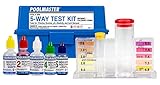
UV helps supplemental sanitation, but chlorine, pH, and alkalinity still need testing.
View on Amazon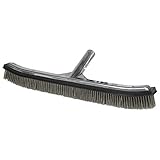
Brushing breaks up algae films and dead spots so sanitation and filtration work better.
View on AmazonFAQ
Should I replace a UV pool lamp based only on the date label?
No. Use the date label with the manufacturer’s manual, controller readings, lamp-hour counter if present, and the condition of the system. The label gives you a reliable starting point, but the correct replacement interval is model-specific.
Can I put the date label directly on the UV lamp?
Usually no. Do not put stickers, tape, ink, or glue on the lamp glass or any part that the manual says must stay clean. Put the label on an exterior service surface, a maintenance tag, or the pool log instead.
What if I do not know when the current UV lamp was installed?
Record that the date is unknown, check the controller or hour counter if your unit has one, and look for service receipts. If the lamp may be past its service life or the system shows a warning, follow the manual and have a qualified technician inspect it.
Does a new UV lamp mean I can use less sanitizer?
No. A UV system can support the pool’s sanitation program, but it does not replace the sanitizer level required by your pool type, chemical labels, and local rules. Keep testing and dosing the water normally.