UV Pool Flow Switch Cleaning: Prevent False Shutdowns and Protect Lamp Performance
| July 23, 2026
Disclosure: This article contains affiliate links. As an Amazon Associate, UV Pool Filter may earn from qualifying purchases.
A UV pool system only helps when water is moving through the chamber at the right rate. A dirty or sticky flow switch can make a healthy unit act broken, triggering shutdowns, warning lights, or intermittent lamp operation even when the pump is running.
This catch-up checklist explains how to inspect and clean a UV pool flow switch without turning a small maintenance issue into a plumbing problem.
Why the flow switch matters
The flow switch is a protection device. It tells the controller that enough water is passing through the UV chamber before the lamp operates. If debris, scale, or alignment issues stop the switch from moving freely, the system may shut the lamp off to protect the equipment.
- Low flow warnings even after the filter is cleaned
- UV lamp cycling on and off with the pump running
- Clear water suddenly losing polish after equipment service
- Controller errors that disappear when flow increases
Before you open anything
Turn off power to the pump and UV unit, close valves if your pad has them, and relieve filter pressure. If the UV chamber uses unions, support the plumbing while loosening fittings so the switch body and quartz sleeve housing are not stressed.
Use the Pool Chemical Calculator before and after service to keep chlorine, pH, alkalinity, and stabilizer in range. UV improves sanitation support, but it does not replace balanced water.
Cleaning checklist
- Confirm the filter pressure is normal and baskets are clear.
- Inspect the switch paddle or sensor port for grit, leaves, calcium scale, or biofilm.
- Rinse gently with clean water; use a soft brush only if the manufacturer allows it.
- Check the switch orientation arrow and reinstall it in the correct flow direction.
- Restart the pump, purge air, and verify the UV controller stays in normal operation.

When cleaning is not enough
If the warning returns quickly, the switch may not be the root cause. Look for a clogged impeller, closed valve, undersized plumbing bypass, dirty cartridge, channeling sand filter, failing pressure gauge, or trapped air near the UV vessel. A replacement switch should match the UV manufacturer’s part number and electrical rating.
For chemistry checks between service visits, install Pool Chemical Calculator for iPhone or Android.
Recommended pool maintenance supplies
As an Amazon Associate, UV Pool Filter earns from qualifying purchases.
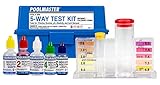
UV helps supplemental sanitation, but chlorine, pH, and alkalinity still need testing.
View on Amazon
A clean cartridge helps protect flow through UV equipment and clears cloudy water faster.
View on Amazon
Helps small particles clump so the filter can clear hazy water more efficiently.
View on AmazonFrequently Asked Questions
Can a dirty flow switch keep a UV lamp from turning on?
Yes. Many UV controllers require confirmed water movement before powering the lamp. A stuck or blocked switch can mimic a low-flow condition.
Should I bypass the flow switch to test the UV unit?
No. Bypassing safety controls can damage equipment and create an electrical hazard. Follow the manufacturer’s diagnostic steps or call a pool professional.
How often should I inspect the UV flow switch?
Check it during seasonal startup, after major debris events, and whenever the UV controller reports low flow while the pump and filter appear normal.